Back to blog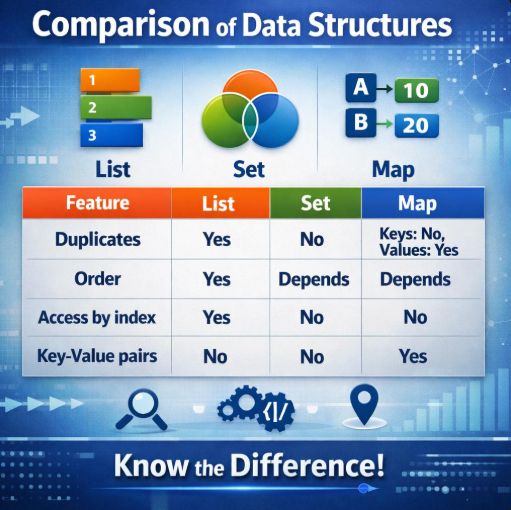
Ordered collection, allows duplicates Access by index Common implementations: ArrayList, LinkedList Real-world example: storing a user's transaction history Use case: showing transactions in the exact order they occurred Collection of unique elements (no duplicates) Order depends on implementation (HashSet, LinkedHashSet, TreeSet) Real-world example: each account number must be unique Use case: preventing duplicate account entries in the system Stores key-value pairs Keys must be unique, values can repeat Common implementations: HashMap, LinkedHashMap, TreeMap Real-world example: account number as the key and balance as the value Use case: quickly looking up the balance for a specific account List → array with duplicates Set → bag of unique elements Map → dictionary or phonebook
January 3, 2026•4 min read•Marina
List, Set, and Map: Key Differences in Java Collections
JavaCollections
List, Set, and Map: Key Differences in Java Collections
When working with Java, understanding the differences between List, Set, and Map is essential.
List
List<Transaction> transactions = new ArrayList<>();
transactions.add(new Transaction("Deposit", 100));
transactions.add(new Transaction("Withdrawal", 50));
transactions.add(new Transaction("Deposit", 200)); // duplicates allowed
Set
Set<String> set = new HashSet<>();
set.add("apple");
set.add("banana");
set.add("apple"); // ignored
Map
Map<String, Integer> map = new HashMap<>();
map.put("apple", 3);
map.put("banana", 5);
map.put("apple", 10); // overwrites previous
Think
If you want to see how these structures show up in real systems, especially in finance, check out